Technical parameters
Quick view of requirements
- If the materials are delivered as open data, we only accept PSD format
Other formats (e.g. AI, INDD) are not accepted - Layers and texts in PSD files must be fully editable in Photoshop
- Color Mode RGB
The following layout requirements apply to the “Editable PSD” and “JPG/PNG for each format” options only.
Each format has different composition, safe zones and cropping requirements. One finished banner cannot be adapted to the remaining formats on our side.
How to provide your materials
Note
There are three options for delivering graphic materials
Editable PSD
All required formats are prepared in the supplied PSD file(s), with editable layers and text. Localization is handled on our side.
JPG/PNG for each format
A finished graphic background is provided for each required format.
Text is added and localized on our side according to the applicable design guidelines.
One universal JPG/PNG
One universal visual is provided.
The required formats are adapted and localized on our side using predefined templates.
- Full-area visual
The visual covers the entire format. - Template-based visual
The visual occupies only part of the format and is placed into one of our predefined templates.
The main object or graphic must have enough space around it to allow cropping and positioning across the required formats
| Banner type | Size |
|---|---|
| Square | 1080×1080 px |
| Vertical | 1080×1920 px |
Layout & safe zones
Banner layout
- The text zone can’t be bigger than ⅓ or 33 % of the banner.
There is an exception for 1200x628 px where is the maximum ½ or 50 %. - All text intended for localization must be grouped together in one part of the banner (see the Do & Don’t section).
- Avoid any graphic elements which may interrupt the text zone
Our graphic designers only edit the text part. All graphic adjustments are made by the partner.
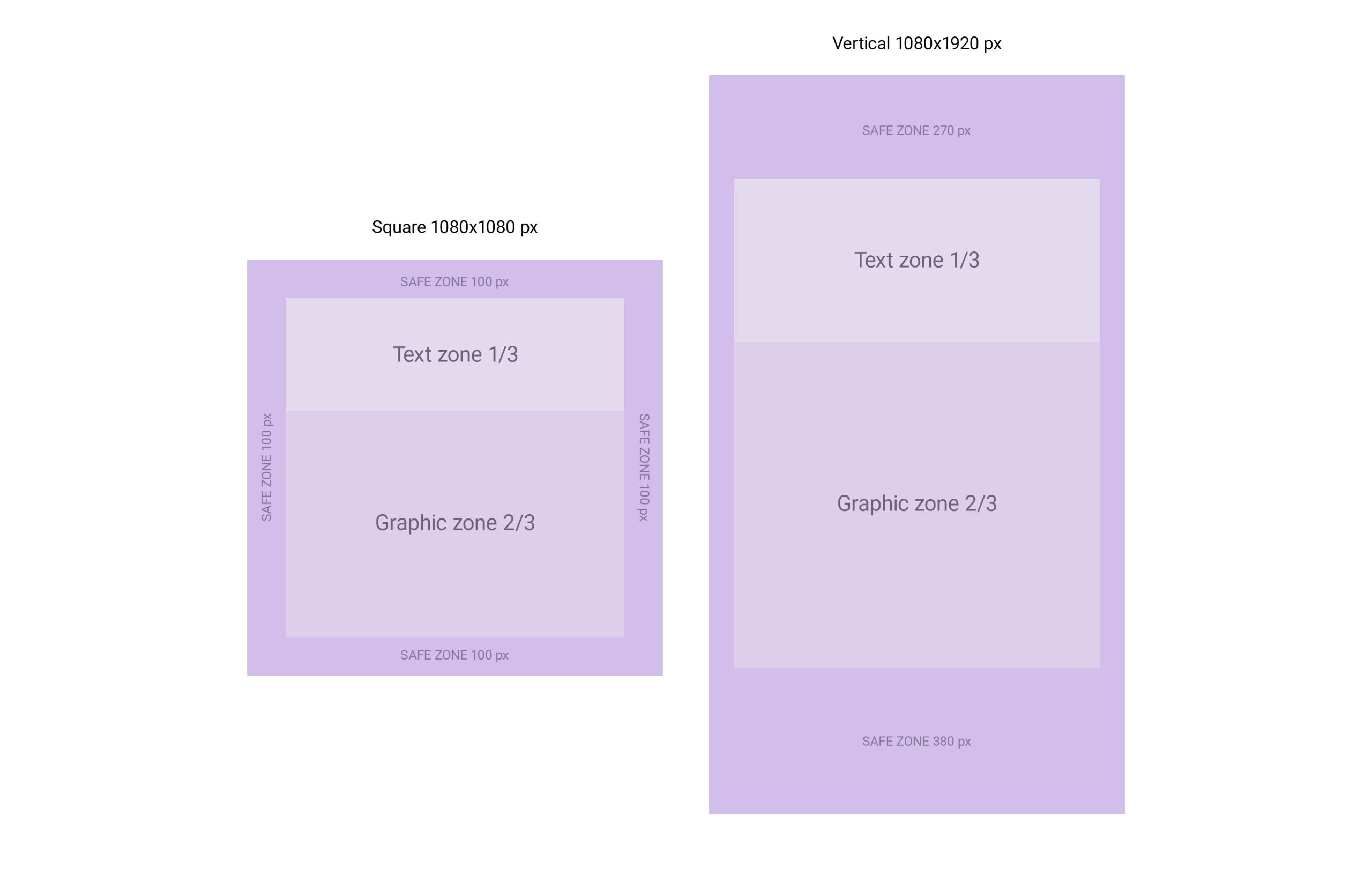
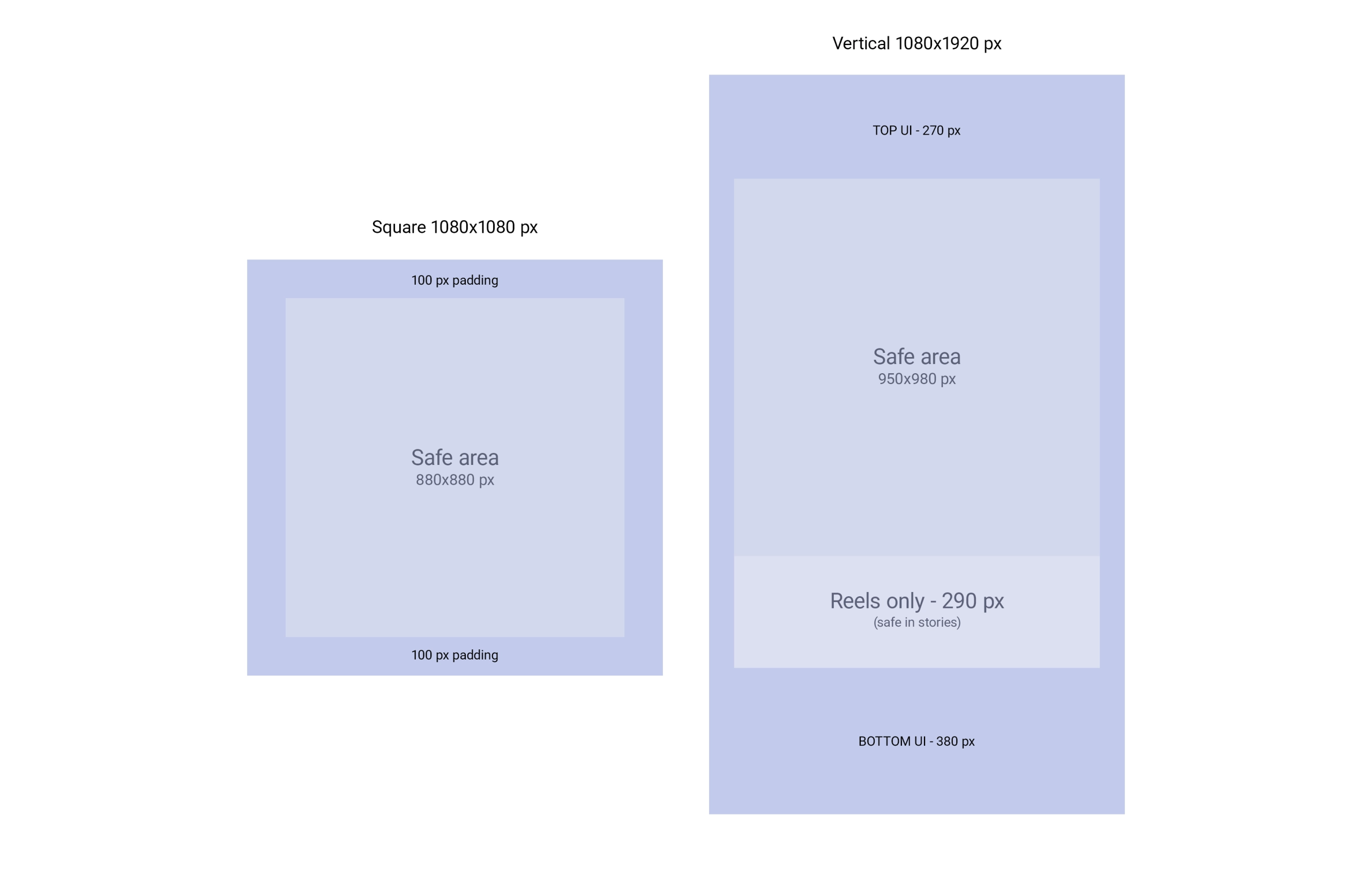
Safe zones
- Beware of safe zones for reels and stories. They are different from each other
- Ensure that the most important content is displayed within these safe zones, since the app elements may overlap with the graphics outside of these safe zones
- You may determine what the priority is: whether it is necessary to keep the text within the safe zone or the graphics
Text and font
Our default font for texts is Roboto typeface family, which we use in case the partner does not provide the font, or if the supplied font does not support some languages.
In case of using your own font, it is necessary to provide the font file (.ttf, .otf) together with the banner data.
Warning
The font provided must have an appropriate license and the partner is obliged to grant us the right to use it. If this is not the case, we offer the use of our internal font Roboto.
| Parameter | Value |
|---|---|
| Minimum banner text size | 32 px |
| Max. length with spaces | 120 characters |
One universal JPG/PNG
Full-area visual
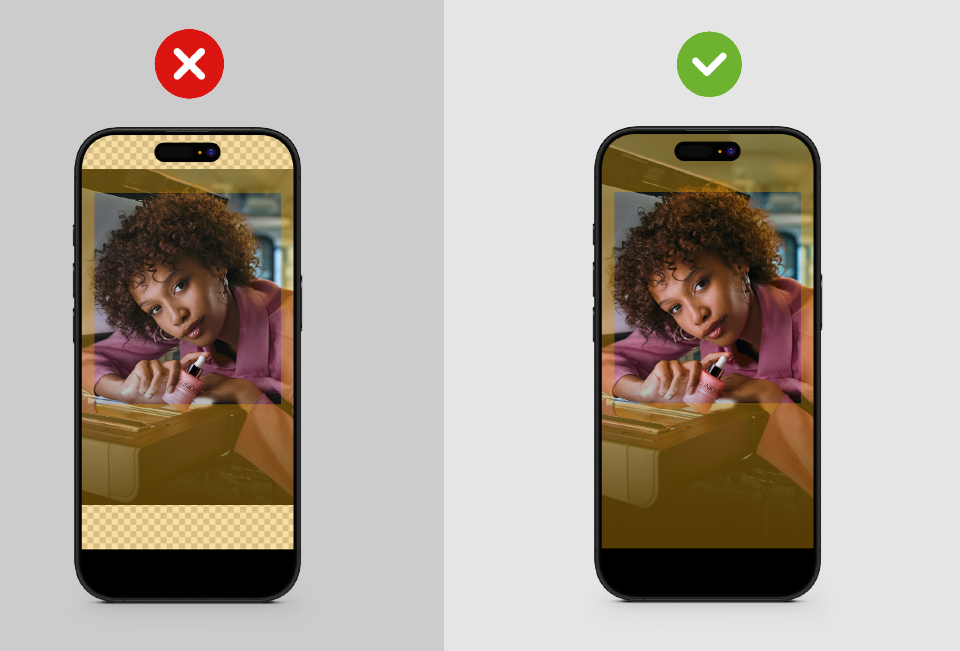
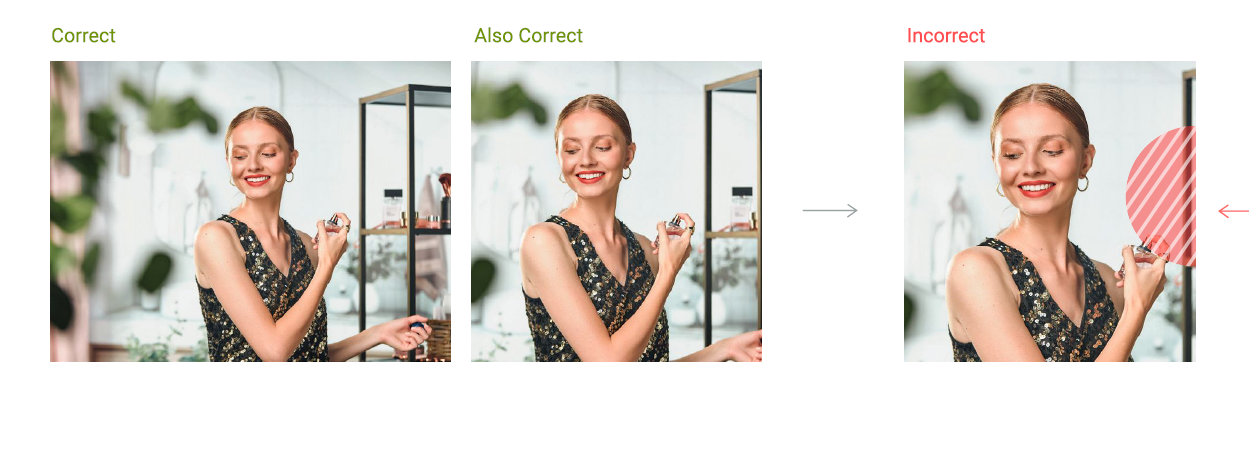
- One background image able to fully cover all required formats
- The main object/graphics must have enough space around so it can be fitted to all banner sizes
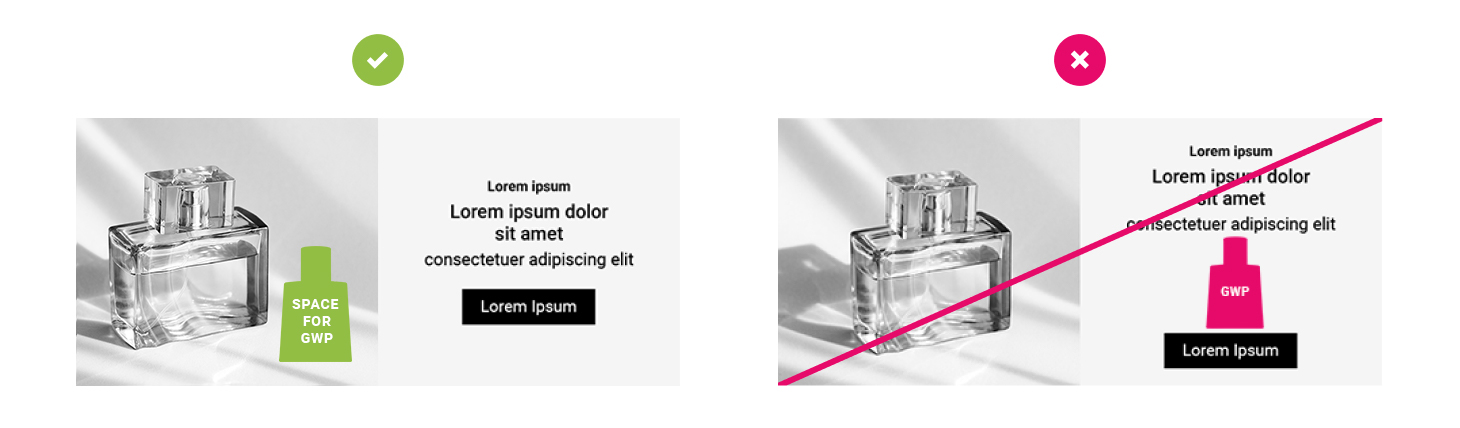
Designated space for gifts
PSD example
We have prepared an example of banners in PSD format for download. You can use the file as a template or it can serve as a demonstration of how the banner will look after our modification.
Note
The PSD file contains two possible versions of desktop banners and one universal mobile banner.
Download banner example file
partner-banners-example.psd | 68.19 MB